WordPress released version 7.0.4 on August 12, 2026 as an emergency security update addressing CVE-2026-65640, a high-severity authenticated remote code execution vulnerability. On web servers where both the Imagick PHP extension and Ghostscript are installed — an extremely common hosting configuration — any WordPress user with Author-level access or higher can upload a specially crafted file that tricks Ghostscript into executing arbitrary commands on the server. The WordPress security team has marked this release urgent and recommends all sites update immediately.
What the Vulnerability Is
CVE-2026-65640 (also tracked as GHSA-8vr3-7mxf-gx8w) is a remote code execution vulnerability that requires a valid WordPress account at the Author role or higher. The flaw lives in the interaction chain between three components: WordPress’s media file handling, the Imagick PHP extension (used to process and thumbnail images), and Ghostscript (used to render PostScript and PDF documents).
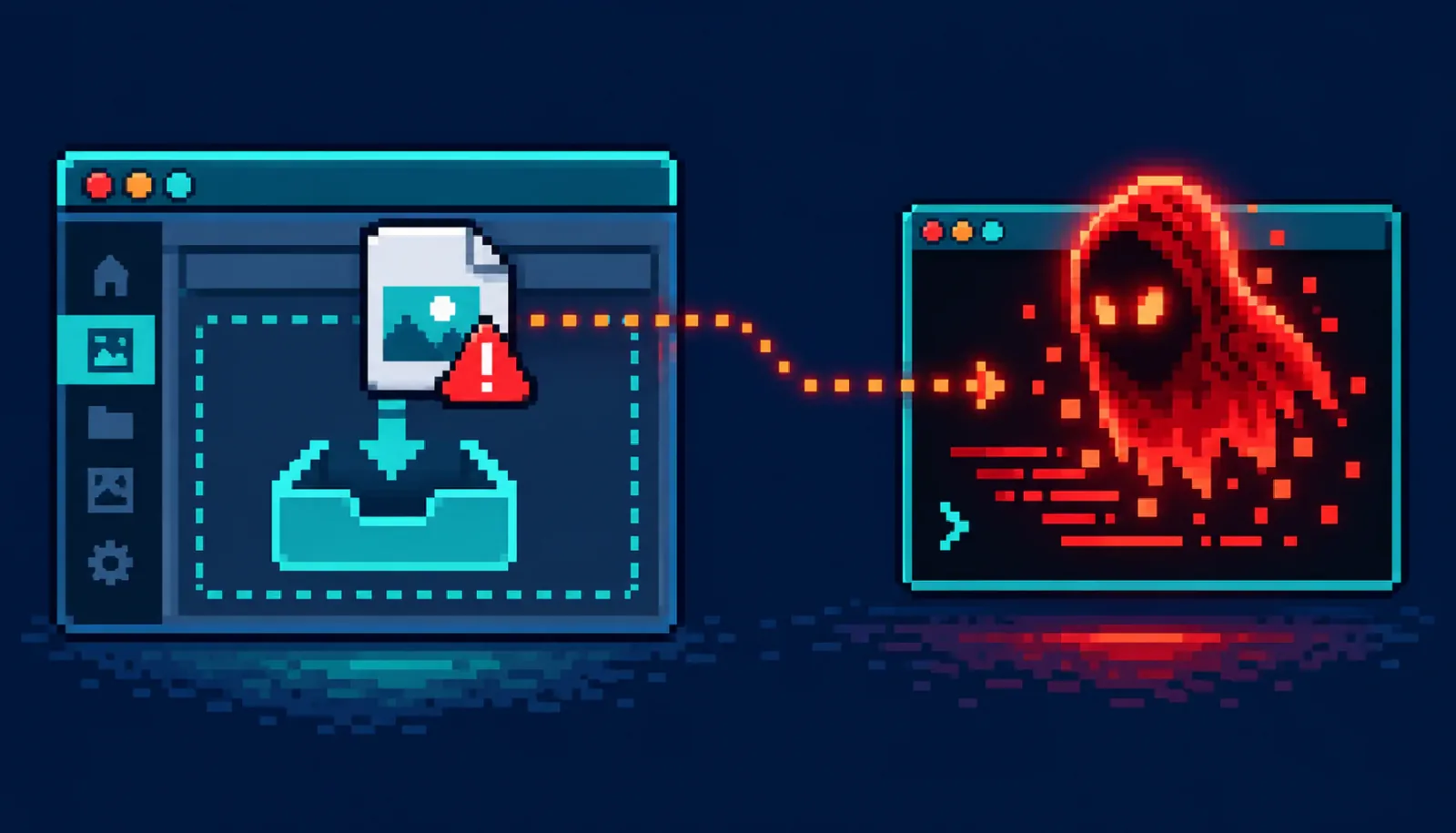
WordPress’s media library uses Imagick to process uploaded files. On servers where Ghostscript is installed, Imagick can delegate certain file types — PDFs, PostScript files, and related formats — to Ghostscript for rendering. The vulnerability arises because WordPress does not adequately validate or sanitize the content of uploaded files before they reach this processing chain. A malicious file crafted to exploit this path can cause Ghostscript to interpret attacker-controlled content as instructions, resulting in arbitrary command execution under the web server’s user account.
The flaw was responsibly disclosed by the research team at pwn.ai and credited in the WordPress 7.0.4 release notes.
While the required access level of Author reduces the raw attack surface compared to a completely unauthenticated flaw, this should not be treated as a strong security barrier. Threat actors routinely acquire Author-level WordPress credentials through:
- Phishing campaigns targeting multi-author sites (news sites, blogs, community platforms)
- Credential stuffing from breached password databases
- Compromised third-party plugins that create or expose user accounts
- Social engineering attacks on editorial teams
Once arbitrary code execution is achieved, an attacker can deploy a web shell, establish persistence, exfiltrate the database and uploaded content, pivot to other services running as the same or related user, or encrypt the server for ransomware.
Why It Matters
- Imagick and Ghostscript are ubiquitous. A large proportion of shared hosting environments install both by default. If you use a managed WordPress host, a cPanel / Plesk environment, or a cloud server with a standard LAMP/LEMP stack, there is a reasonable chance both are present.
- Multi-author sites are the most exposed. News sites, community blogs, membership platforms, and managed WordPress hosting environments that grant authoring access to multiple people have the largest attack surface. A single phished contributor credential is enough.
- Server-level impact, not just WordPress-level. Code execution runs as the web server user (typically
www-dataor a per-vhost user), which has access to all files served by that user, the MySQL socket, and in misconfigured environments, broader filesystem access. - The patch is small, the risk is large. WordPress 7.0.4 is a targeted security release with no compatibility concerns. There is no reason to delay updating.
Am I Affected?
- You run WordPress 7.0.3 or earlier (or any prior version that has not received the security backport to its branch).
- Your hosting environment has both Imagick and Ghostscript installed. Both must be present for the specific attack path to work. Check with your host or run:
# Check for Imagick:
php -r "echo extension_loaded('imagick') ? 'Imagick: YES' : 'Imagick: NO';"

# Check for Ghostscript:
which gs && gs --version- Your site has at least one user with Author-level access or higher — which is true of almost every WordPress site.
- You are somewhat less exposed if your site has only a single administrator account and no contributors/authors, or if Ghostscript is not installed on your server.
- WordPress.com-hosted sites: managed and patched by Automattic.
What to Do About It: Step-by-Step
Step 1: Update to WordPress 7.0.4 now
This is the primary and complete remediation. Go to Dashboard → Updates in your WordPress admin and click Update Now. Sites configured for automatic background updates will receive the patch shortly.
Step 2: Verify the update applied
# Via WP-CLI:
wp core version
# Expected: 7.0.4
Or check Dashboard → Updates for the installed version string.
Step 3: Audit Author-level and above accounts
Go to Users → All Users and review every account with Author, Editor, or Administrator role. Remove accounts that are no longer active, and consider resetting passwords for all active authors as a precaution — especially if any accounts share passwords with other services.
Step 4: Enable or verify multi-factor authentication for authors
The attack requires a valid Author credential. MFA significantly raises the bar for credential-based access even if a password is compromised. Plugins such as WP 2FA or Wordfence can enforce MFA site-wide.
Step 5: Consider disabling Ghostscript delegation in Imagick (defense-in-depth)
If you cannot update immediately, or as additional hardening after updating, you can prevent Imagick from delegating to Ghostscript by adding a policy restriction in ImageMagick’s policy file:
# Edit /etc/ImageMagick-6/policy.xml or /etc/ImageMagick-7/policy.xml
# Add inside the  block:
<policy domain="coder" rights="none" pattern="PS" />
<policy domain="coder" rights="none" pattern="PS2" />
<policy domain="coder" rights="none" pattern="PS3" />
<policy domain="coder" rights="none" pattern="EPS" />
<policy domain="coder" rights="none" pattern="PDF" />
<policy domain="coder" rights="none" pattern="XPS" />
Note: this disables PDF thumbnail generation in WordPress, which may affect your media library. Re-evaluate after updating WordPress.
Step 6: Review web server logs for exploitation attempts
Look for unusual Ghostscript-related process invocations or unexpected new PHP files in the uploads, themes, or plugins directories, which can indicate a web shell was deployed:
# Find recently created PHP files in uploads:
find /var/www/html/wp-content/uploads -name "*.php" -newer /etc/passwd

# Check for unexpected outbound connections:
ss -tnp | grep www-data
Quick-Win Checklist
- Update to WordPress 7.0.4 immediately (Dashboard → Updates → Update Now).
- Verify installed version via WP-CLI or admin panel.
- Audit all Author+ user accounts — deactivate stale ones, reset passwords for active ones.
- Enable MFA for all author and administrator accounts.
- Check whether Imagick and Ghostscript are both installed on your server.
- As defense-in-depth, restrict Imagick PDF/PS/EPS delegation in the ImageMagick policy file.
- Scan the
wp-content/uploadsdirectory for unexpected PHP files.
Sources
- WordPress.org — WordPress 7.0.4 Release (August 12, 2026)
- GBHackers — WordPress RCE Vulnerability Lets Authenticated Authors Execute Remote Code (August 13, 2026)
- GitHub Security Advisory GHSA-8vr3-7mxf-gx8w (CVE-2026-65640)
DALL-E Image Prompt
8-bit pixel-art WordPress editor at a CRT screen uploading a glowing red file through the media library. In an adjacent terminal panel, a Ghostscript process interprets the file and spawns a shell. Warning icons flash. The scene is dark with neon green and red highlights on a black background.